
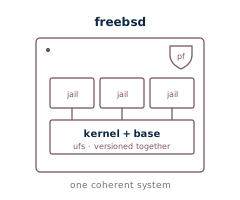
FreeBSD VPS Hosting
Real FreeBSD® on KVM hardware virtualization — full root, your own kernel, pf and jails if you want them — with the same self-service portal controls as our Linux VPS. Select FreeBSD as your operating system on the VPS order form.
Operating system
Deploy a current FreeBSD release from a server cloud image, configured through cloud-init at first boot (IP, hostname, SSH keys). Same plans and pricing as our Linux VPS — FreeBSD is simply one of the operating systems you can pick at order time, or switch to later with an OS reload.
What you control from the portal
These are enforced at the hypervisor, so they work identically on FreeBSD:
- Console — browser-based noVNC. Works at the loader prompt, in single-user mode, or when sshd is down. No client install.
- Snapshots — up to three on-demand slots per VPS. Snapshot before an upgrade or a
pkgchange; roll back in seconds. - OS reload — re-provision to another FreeBSD release or over to Linux. IP, IPv6, hostname, and console credentials are preserved.
- Rescue mode — boot a rescue environment with networking pre-configured; mount your disk and repair a broken boot or fstab.
- Cloud firewall — a hypervisor-level firewall in front of the VM, managed from the portal. It filters before traffic reaches FreeBSD and survives a misconfigured pf ruleset (see below).
- Reverse DNS — set your own PTR records on every IPv4 and IPv6 address. Mail-server-friendly.
- IPv6 — one IPv6 address per VPS, configured at deploy alongside your IPv4.
- Live stats & graphs — CPU / memory / network / disk over the last hour to year, plus per-month bandwidth totals.
- Resource changes — upgrade CPU, RAM, or disk between billing cycles; effective on next reboot.
- Live hostname & root password — change either from the portal, applied live via the guest agent (the hostname is persisted to
/etc/rc.conf). No reboot. - SSH keys & root password at deploy — paste your public keys on the order form for first-boot access; the initial credentials are set via cloud-init.
FreeBSD, honestly
A few in-guest conveniences on our Linux plans lean on Linux-only tooling and are not offered on FreeBSD — you manage these the FreeBSD way instead:
- In-guest firewall — use FreeBSD's native
pf(andblacklistdfor brute-force mitigation). The portal's fail2ban management is Linux-only; the hypervisor cloud firewall above works on every OS. - One-click app installers — the curated stack installers target Debian/Ubuntu/AlmaLinux. On FreeBSD you install from
pkgor ports, which is fast and clean. - Guest health diagnostics — the portal's one-click service/health probe is Linux-only; on FreeBSD, inspect services natively (
service … status,sockstat,top).
Specs and pricing
Plans start at $10/month (1 vCPU, 1 GB RAM, 20 GB SSD) — the same dedicated CPU / RAM / SSD allocations as our Linux VPS, billed at a flat monthly rate and upgradeable between billing cycles. Pick the plan, choose FreeBSD, deploy.
Common use cases
- Firewalls & routers. pf is first-class on FreeBSD; pair it with the hypervisor cloud firewall for defense in depth.
- File & storage servers. A clean UFS root on NVMe-backed storage; take a hypervisor snapshot from the portal before risky changes.
- Mail servers. Reverse DNS controllable from the portal on IPv4 and IPv6, no outbound port restrictions.
- Self-hosting & jails. Full root and a real kernel — run jails, poudriere, or anything you'd run on bare metal.
FreeBSD VPS — questions
- Do
freebsd-updateandpkgwork out of the box? - Yes. We deploy a current FreeBSD® release from a maintained server image, so
freebsd-updateandpkgwork normally against the official mirrors. You get full root to manage the system your way. - Can I run jails and poudriere?
- Yes. It's a full FreeBSD system with your own kernel — run jails and poudriere exactly as you would on bare metal. The system disk is UFS on fast NVMe-backed storage.
- Can I use
pf, and is there a firewall in front of the VM? - Both. Use FreeBSD's native
pfinside the guest, plus a hypervisor-level cloud firewall in front of the VM that filters before traffic reaches FreeBSD and survives a misconfigured ruleset. - Do I get IPv6 and reverse DNS?
- Yes. Each VPS gets an IPv6 address alongside its IPv4, and you set your own PTR records on every address from the portal.