Linux VPS Hosting
KVM-virtualized Linux servers with self-service controls for the day-to-day work
most providers make you open a ticket for.
Operating systems
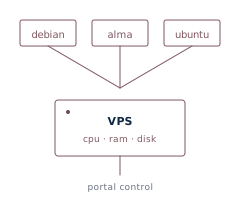
Pick at order time, change later. OS reload runs from the portal and preserves your IP, hostname, and console credentials.
- Debian — the reference for stable: conservative, low-drama, and backed by one of the largest package archives anywhere. Current stable release, server-flavored cloud images. The safe default when you just want a server that keeps running.
- Ubuntu Server — Debian underneath, but faster-moving and the most widely documented distro around — nearly every tutorial and vendor guide assumes it. Current LTS, with years of updates. The well-trodden path.
- AlmaLinux — a free, 1:1 binary-compatible rebuild of RHEL:
dnf, SELinux, and long enterprise support cycles. Current release. The natural pick for RHEL/CentOS-style and enterprise workloads.
- Slackware — the grand-daddy distro (since 1993): traditional BSD-style
rc init, no systemd, and famously stable. For hands-on admins who want it done the classic way.
What you control from the portal
- Console — browser-based noVNC. Works during boot, single-user mode, or when SSH is broken. No client install.
- SSH keys — paste your public keys on the order form for first-boot deployment, or manage anytime from the portal. Live-applied via the guest agent; survives OS reloads.
- Snapshots — up to three on-demand snapshot slots per VPS. Create before risky changes; rollback in seconds.
- OS reload — wipe and re-provision to a different distribution. IP / hostname / console credentials / SSH keys all preserved.
- Rescue mode — boot into a recovery environment with networking pre-configured. Mount your root disk, chroot, fix it, exit.
- Reverse DNS — set your own PTR records on every IPv4 and IPv6 address from the portal. Mail-server-friendly.
- Hostname & root password — change either from the portal, live (no reboot) via the guest agent. The new password is also stored in your account for support recovery.
- Live stats & graphs — CPU / memory / network / disk for the last hour, day, week, month, or year — plus per-month bandwidth totals.
- Resource changes — upgrade CPU, RAM, or disk between billing cycles. Takes effect on next reboot.
Specs and pricing
Plans start at $10/month (1 vCPU, 1 GB RAM, 20 GB SSD). Size CPU, RAM, and disk individually — no forced tiers or bundles — as a dedicated allocation on local SSD storage, billed at a flat monthly rate and upgradeable between billing cycles. Configure it, pick the OS, deploy.
View Linux VPS plans
All features

 Cloud firewall
 Brute-force protection
 Read-only API & keys