
PBX VPS Hosting
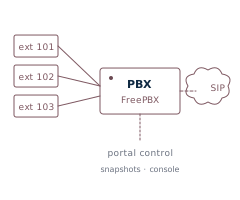
KVM-virtualized servers pre-configured for FreePBX® or FusionPBX®. Same VPS platform as our Linux plans, with the PBX install and admin credentials handled at deploy time.
Choose your PBX flavor
Both options are deployed from templates we maintain — install steps are run at provision time, so by the time the VPS comes up you're at a working admin login.
FreePBX®
Built from Sangoma's official FreePBX installer running on Debian. Asterisk® under the hood, FreePBX as the management UI. Modules are pre-installed at a working baseline; fwconsole ma upgradeall runs once at first boot to pick up current versions.
FusionPBX®
Built from FusionPBX's installer running on Debian. FreeSWITCH® under the hood, FusionPBX as the management UI. The PostgreSQL database password is regenerated per-VM at deploy. Multi-tenant capable — see FusionPBX VPS hosting for the full rundown.
What's done for you at deploy
- Admin GUI credentials. The PBX admin login is initialized to your VPS root password — the random per-server password shown in your portal. (Change it after first login.)
- Hostname & IP wired through. Network and hostname are configured at deploy, and the PBX is tuned to bind SIP/RTP to the IP we allocate.
- FreeSWITCH variables tuned for FusionPBX, so SIP and RTP bind correctly without manual
vars.xmledits. - Per-VM database password (FusionPBX) regenerated at deploy, so no two servers share database credentials.
All Linux VPS features apply
Browser console, snapshots, OS reload (including switching between FreePBX® and FusionPBX®), rescue mode, reverse DNS, and live graphs — same platform, same portal.
Looking for outbound predictive dialing?
This page is for hosted IP PBX — answering calls, routing them to extensions, multi-tenant tenant separation. If you're running an outbound call center (predictive dialing, agent stations, list management), the ViciBox® / Vicidial® deployment on its own platform line is a better fit. See the Dialer VPS page.
Pricing and carriers
Plans start at $20/month (2 vCPU, 2 GB RAM, 30 GB SSD). No PRI, no analog gateways — pure VoIP. Bring your own SIP carrier (Telnyx, Flowroute, VoIP.ms, etc.); we don't lock you into a single provider.
Common use cases
- Single-tenant PBX for your office or your customer's office.
- Hosted multi-tenant PBX using FusionPBX®'s domain isolation.
- Lab / sandbox PBX for testing dialplan changes against a real provider before touching production.
- SIP trunking concentrator bridging hard phones in a remote office to a central PBX.
Why self-host your PBX on a VPS?
A self-hosted PBX on your own VPS gives you full root, your own dialplan, and no per-seat licensing — you own the system and pick the SIP carrier. It's the middle ground between a locked-down hosted-PBX subscription and running hardware in a closet: dedicated resources, a public IP with controllable reverse DNS for clean SIP registration, and portal snapshots so you can change the dialplan without fear.
PBX VPS — questions
- Is the PBX pre-installed, or do I set it up myself?
- It's installed and configured at deploy from a template we maintain, so the VPS comes up at a working admin login. You pick your PBX software — FreePBX® or FusionPBX® — at order time.
- Can I bring my own SIP trunk or carrier?
- Yes. No carrier lock-in — point the PBX at any SIP provider (Telnyx, Flowroute, VoIP.ms, and others). Pure VoIP; no PRI or analog gateways.
- Do you block SIP or RTP ports?
- No. There are no outbound port restrictions on VoIP traffic, and you set your own reverse DNS on every IPv4 and IPv6 address from the portal — friendly to SIP registration and clean call routing.
- Single-tenant or multi-tenant?
- Both. A single VPS can host multiple isolated tenants; FusionPBX® in particular is built for per-domain multi-tenancy. Size the plan to your concurrent-call and tenant count.
- Can I switch PBX software later?
- Yes. An OS reload from the portal re-provisions to a different PBX flavor, keeping your IP, IPv6, hostname, and console credentials.